
Clarify my research question
Turn an early idea into goals, constraints, and next steps
Describe the material, target property, and what you already have.LOCAL-FIRST RESEARCH WORKSPACE
Start with papers, formulations, and lab records. Let an agent use the right Skills and tools while keeping each source, action, and result in one research project.
The desktop app is free, and 0.3.0 installers connect to the production platform. MX Points purchases and cloud models are currently limited to pilot accounts.
START WITH A QUESTION
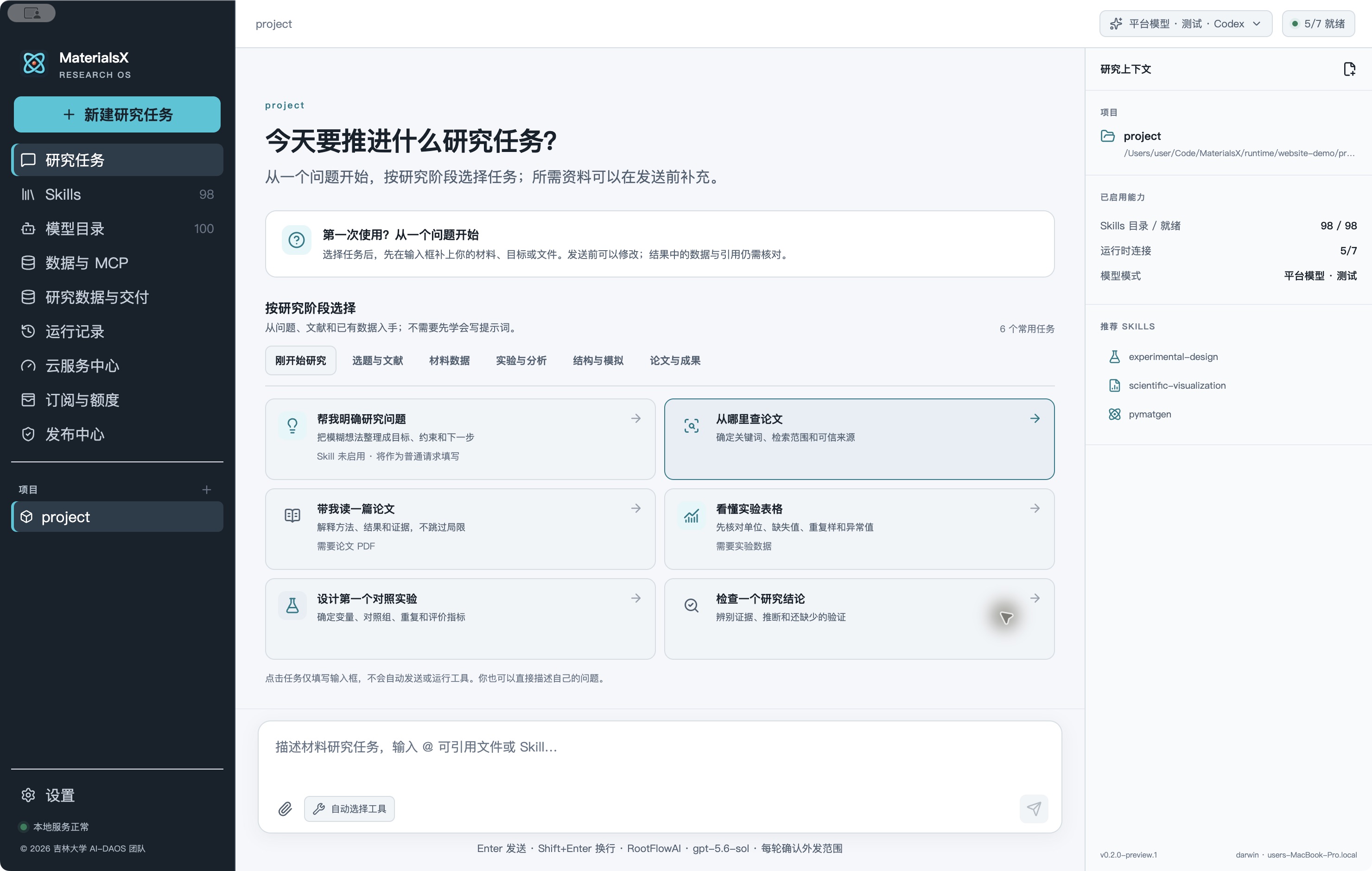
Start with a question, choose a stage, and add the materials you need before sending.
Choose a task, then add your material system, goal, or files in the composer. Edit before sending, and verify data and citations in the result.
Begin with a problem, papers, or existing data. No prompt-writing experience needed.
Turn an early idea into goals, constraints, and next steps
Describe the material, target property, and what you already have.Set keywords, search scope, and trustworthy sources
Start with a topic; distinguish abstracts from full papers.Understand methods, results, evidence, and limitations
Requires a PDF; return to source pages for key values.Check units, missing values, replicates, and outliers
Requires data; explain columns and test conditions first.Specify variables, controls, repeats, and measures
Add available equipment, time, cost, and materials.Separate evidence, inference, and missing validation
Provide the claim and source; identify a minimal test.In the desktop app, choosing a card only fills the composer. It does not send a message or run tools. You can also describe your own task.
WHY MATERIALSX
MaterialsX connects objectives, input data, tool runs, and conclusions. Unverified records keep their status, and computed results carry their applicability limits.
Keep page numbers, original values, and sources close to the claims they support.
Review the plan, Skill, tool calls, and receipts for each step of the task.
Keep charts, structures, and reports in the project, alongside gaps and scientific caveats.
A RESEARCH FLOW
Handle simple questions directly. For complex work, define goals, constraints, and acceptance criteria first.
Name the material system, question, target measures, and limits.
Choose papers, project files, or configured MOOS records.
Use authorized Skills, analysis tools, or eligible models.
Inspect data, charts, structures, reports, and unresolved gaps.
CAPABILITIES
Bring common workflows together while making data, runtime, and human-review requirements explicit.
Work with PDF, DOCX, spreadsheets, and text. Extracted passages retain page, paragraph, or sheet locations for review.
Browse bilingual descriptions and examples by topic, invoke a Skill with @, or install one from a local folder or GitHub.
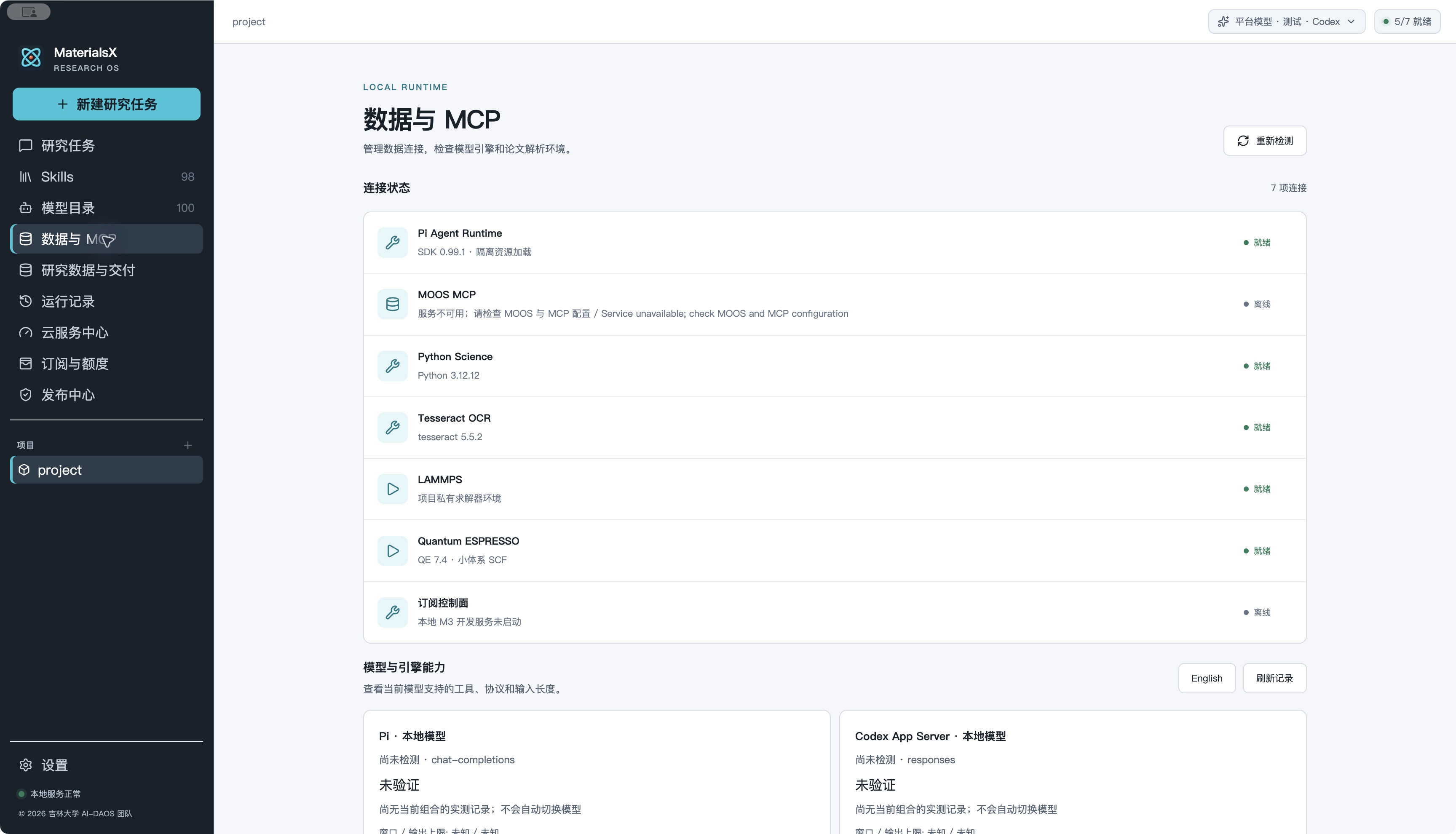
A separate read-only MCP service can query experiments, formulations, processes, properties, images, and simulations.
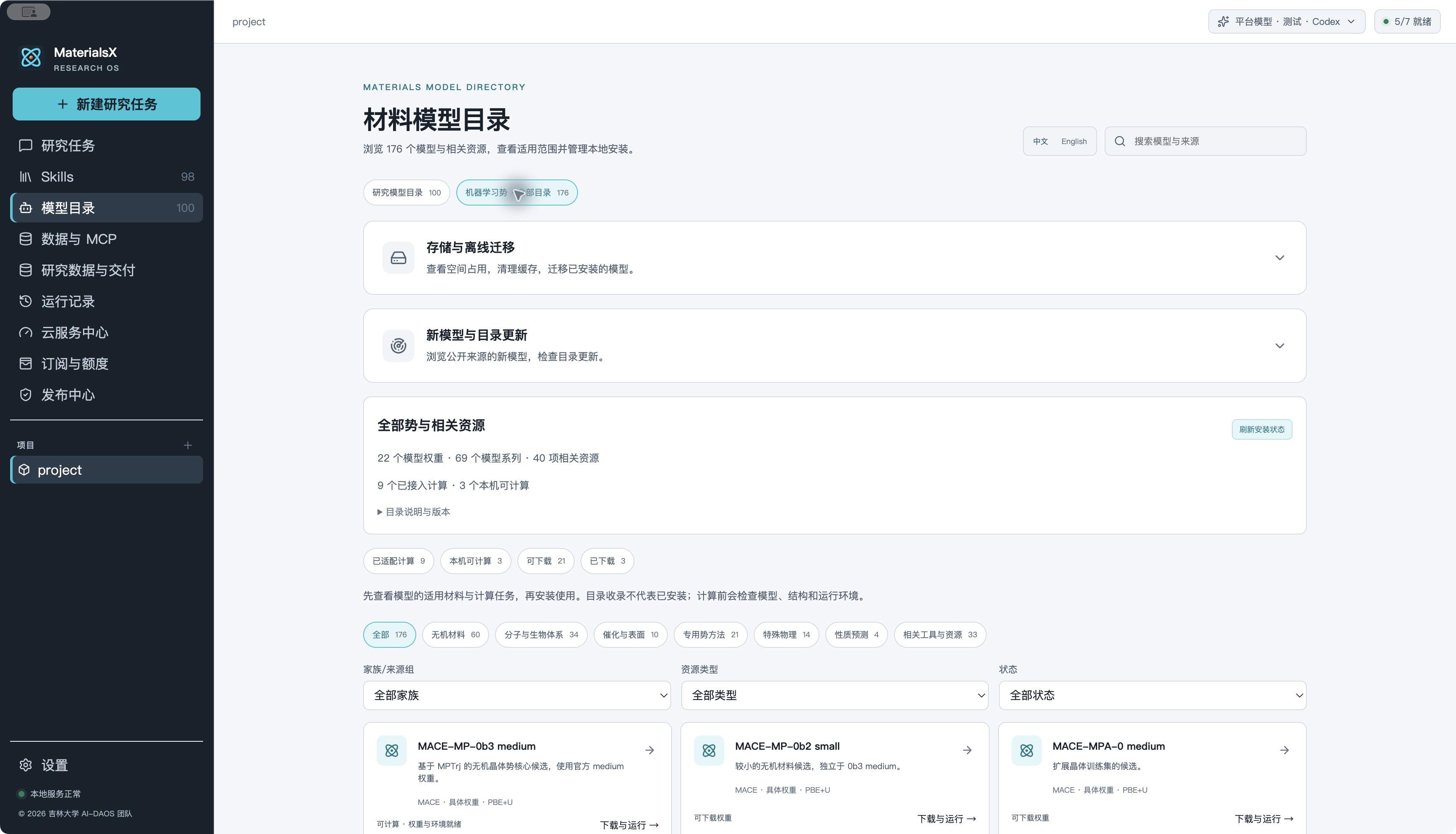
Explore 100 model and resource entries, then check domain, elements, license, weights, and runtime before choosing a route.
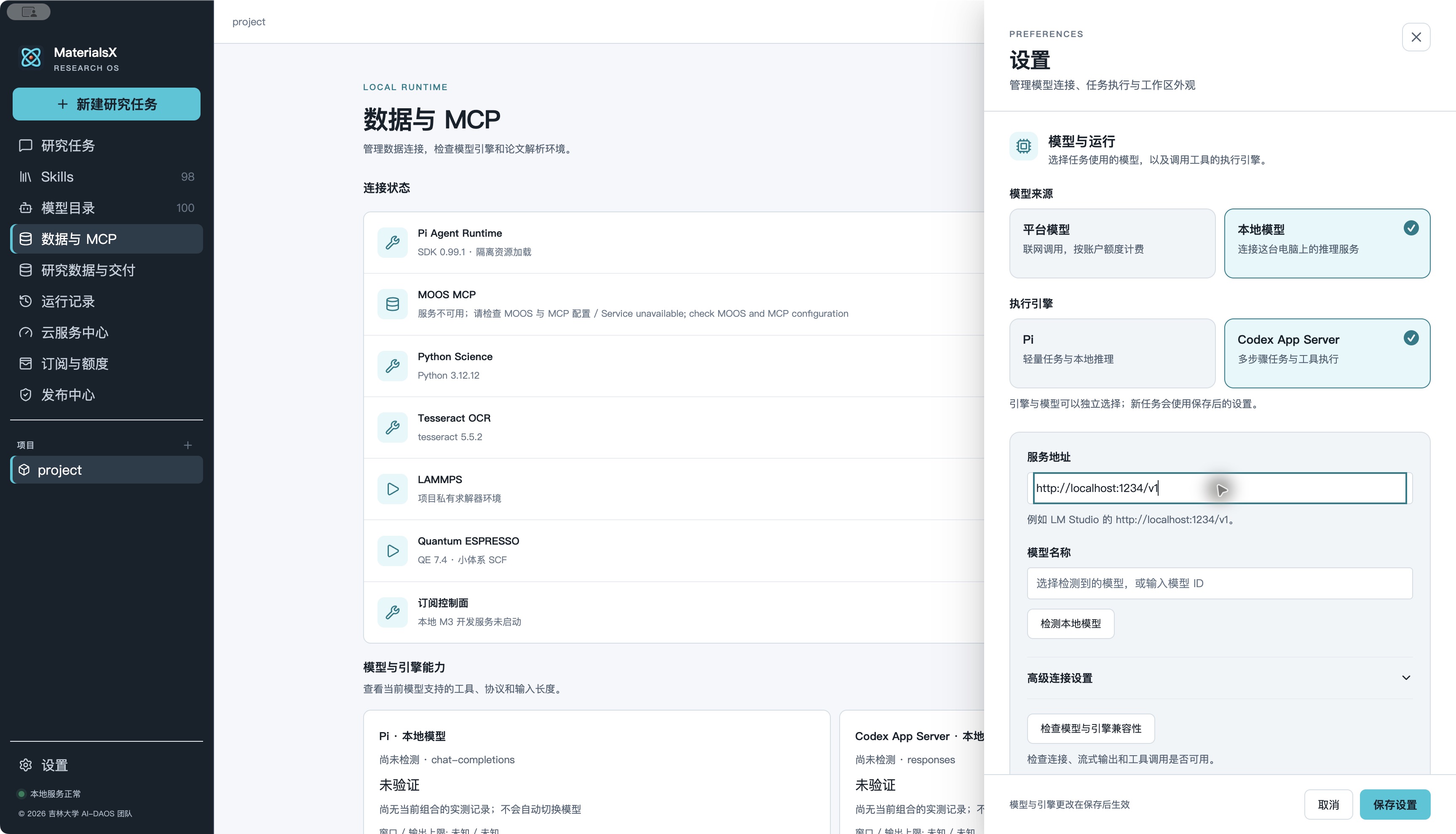
Choose Pi or the bundled Codex App Server. Connect LM Studio locally or a configured platform service.
Inspect atomic structures and 3D artifacts while checking units, evidence, convergence, and method applicability.
MATERIALSX 0.3 / SYSTEM FLOW
The website explains the product; the desktop handles research and purchases. An independent account gateway owns billing, LiteLLM connects model suppliers, and a separate console reconciles transactions.
Explains capabilities, release status, and downloads. It holds no wallet balances, payment credentials, or supplier keys.
One workspace for projects, sources, Skills, and MOOS. Signed-in users see their MX wallet, orders, eligible models, and usage.
Authenticates users and payment callbacks, owns the MX ledger, locks prices and reserves points before model calls, then settles trusted usage.
Role-based staff views for orders, wallets, usage, refunds, prices, reconciliation, and audit. Writes go through the account gateway.
An independent proxy routes to RootFlowAI. Upstream API keys stay in private server configuration; its admin UI is for authorized operators.
Choose ¥10 / 50 / 100 / 500 on desktop. A verified WeChat payment grants 100 / 500 / 1000 / 5000 MX Points once.
The desktop shows eligible models. The gateway locks the route and procurement, FX, and retail price versions.
The gateway reserves points, then LiteLLM calls the supplier with a server-side key. No upstream key reaches the client.
Trusted input, output, cache-read, and cache-create token counts determine the charge. Missing usage stays pending reconciliation.
The billing console compares consumed revenue, supplier invoices, and refunds, recording differences, audit events, and measurable gross profit.
Fixed conversion: ¥1 = 10 MX Points. These are retail snapshot rates as of 2026-10-07, in MX Points per million tokens of each category: input / output / cache read / cache create. Actual eligibility is shown after sign-in.
| Model and tier | Input / output / cache read / cache create | Current status |
|---|---|---|
| gpt-5.6-sol | 175 / 1050 / 17.5 / 218.75 | Limited access |
| gpt-5.6-sol ≥272k | 350 / 1575 / 35 / 437.5 | Limited access |
| claude-opus-5-5 | 140 / 700 / 7 / 175 | Limited access |
| claude-fable-5-1 | 350 / 1750 / 8.75 / 437.5 | Limited access |
The approximate 50% of official USD reference prices is a historical comparison. Supplier quota uses the confirmed 1 quota = ¥1 assumption for cost estimates. Top-ups, earned revenue, and supplier costs are recorded separately; gross profit is not net profit.
The 0.3.0 installers connect to the production platform. A pilot account completed a ¥10 WeChat payment, received one MX Points grant, and settled a GPT 5.6 charge. Three models are available to pilot accounts at the approved rates. Actual supplier invoices, refunds, and cross-platform installation remain to be verified.
MACHINE-LEARNED POTENTIALS
Explore general and specialized potentials in the materials model catalog. Screen by system, elements, periodicity, and task. Inspect weights, license, and runtime status before downloading or loading an eligible model.
Describe the structure and task: energy, forces, or relaxation
Check elements, charge, spin, training domain, and license
Download and load eligible weights for a bounded run
Inspect energy, forces, convergence, report, and 3D structure
A catalog listing is not an installed checkpoint. Some entries have no public weights or cannot run on your device. AI recommendations still require applicability checks and real execution receipts.
RESEARCH DATA · MOOS MCP
With MOOS MCP configured, query formulations, original amounts, preparation steps, test conditions, and source evidence in read-only mode. Compare compatible records before proposing constrained formulation candidates and validation experiments.
Search relevant formulations and process records
Keep units, test conditions, page citations, and review status
Compare compatible samples and property differences
Propose candidates and controls for experimental validation
MOOS is a separate service and must be configured. An optimization candidate is a research suggestion, not a validated formulation. Historical records are never silently changed.
LOCAL LLM
Load a model in LM Studio and start its local API. In MaterialsX, select Local model, enter the service URL, and test the connection. Research files and conversations can be processed on-device.
Load a model suited to your task in LM Studio
Start the local API, usually http://localhost:1234/v1
Check model and agent-engine compatibility in MaterialsX
Chat-model weights are not bundled. Tool use, file reading, and long-task reliability depend on the model and runtime; run the compatibility check first.
INSIDE THE APP
Screenshots come from isolated development demos. The installed version and its configuration determine the actual interface and capabilities.
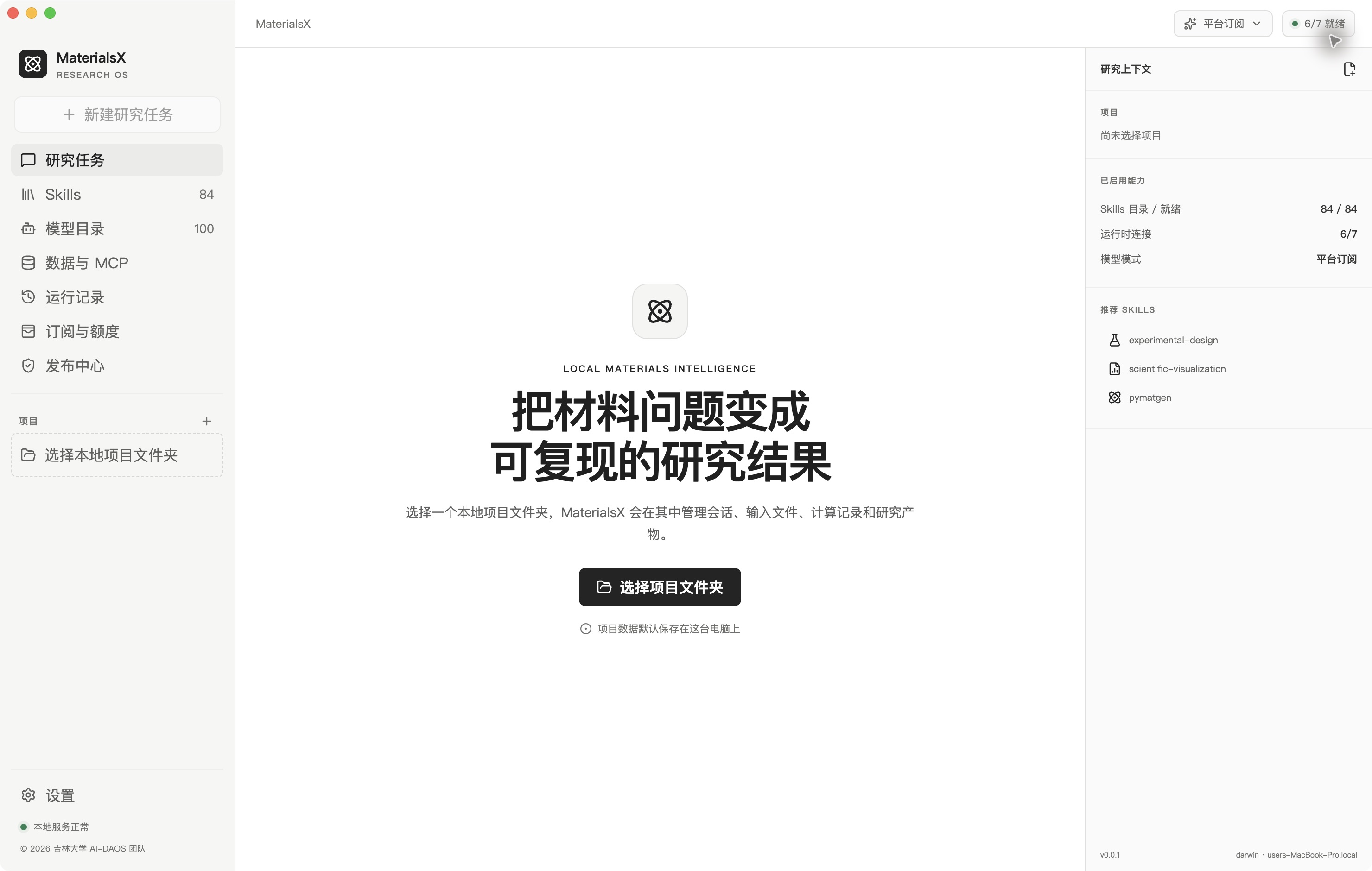
Start with a local project and keep conversations and input files in the same workspace.
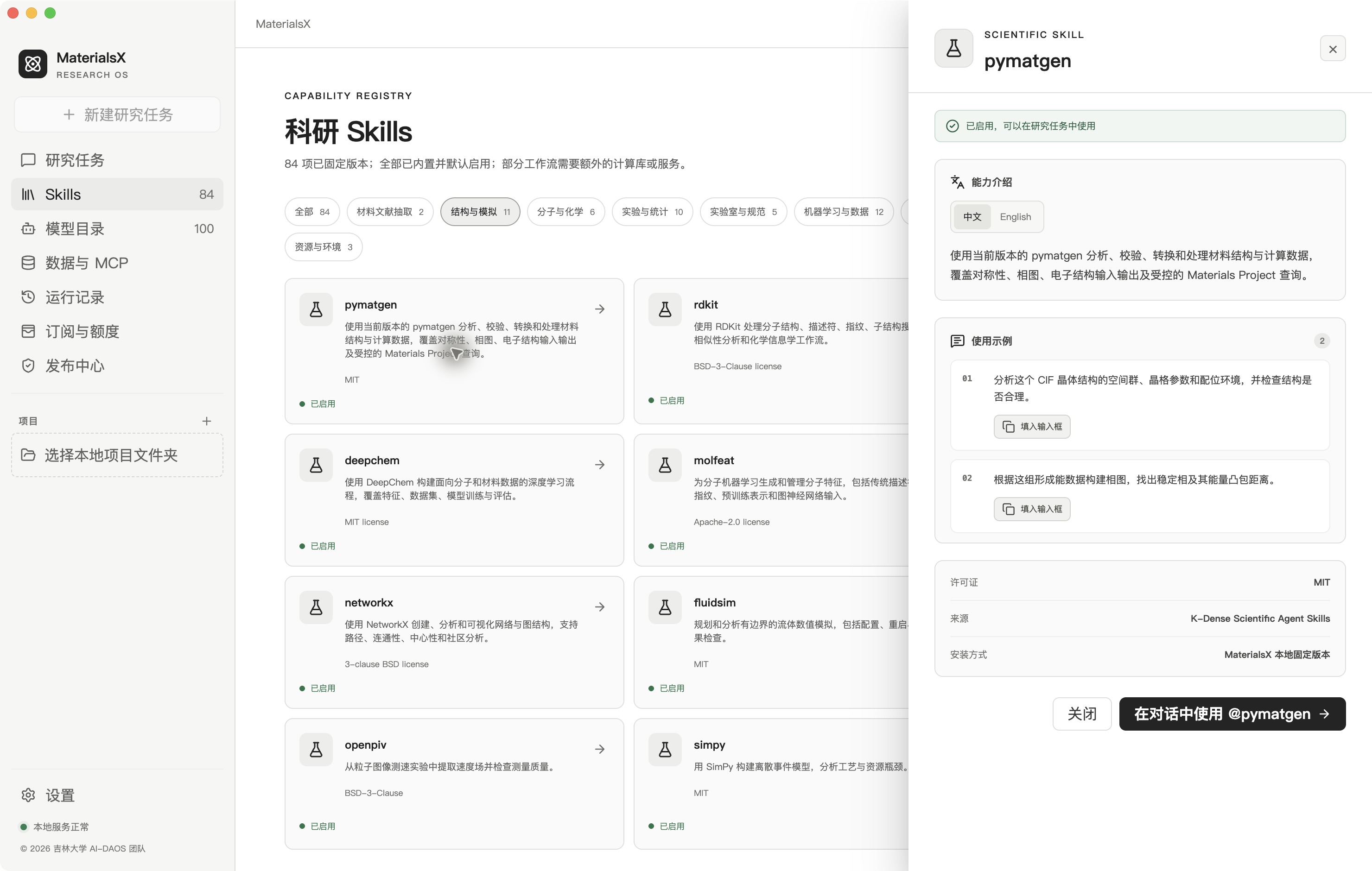
Review categories, capabilities, licenses, and examples before bringing a Skill into a task.
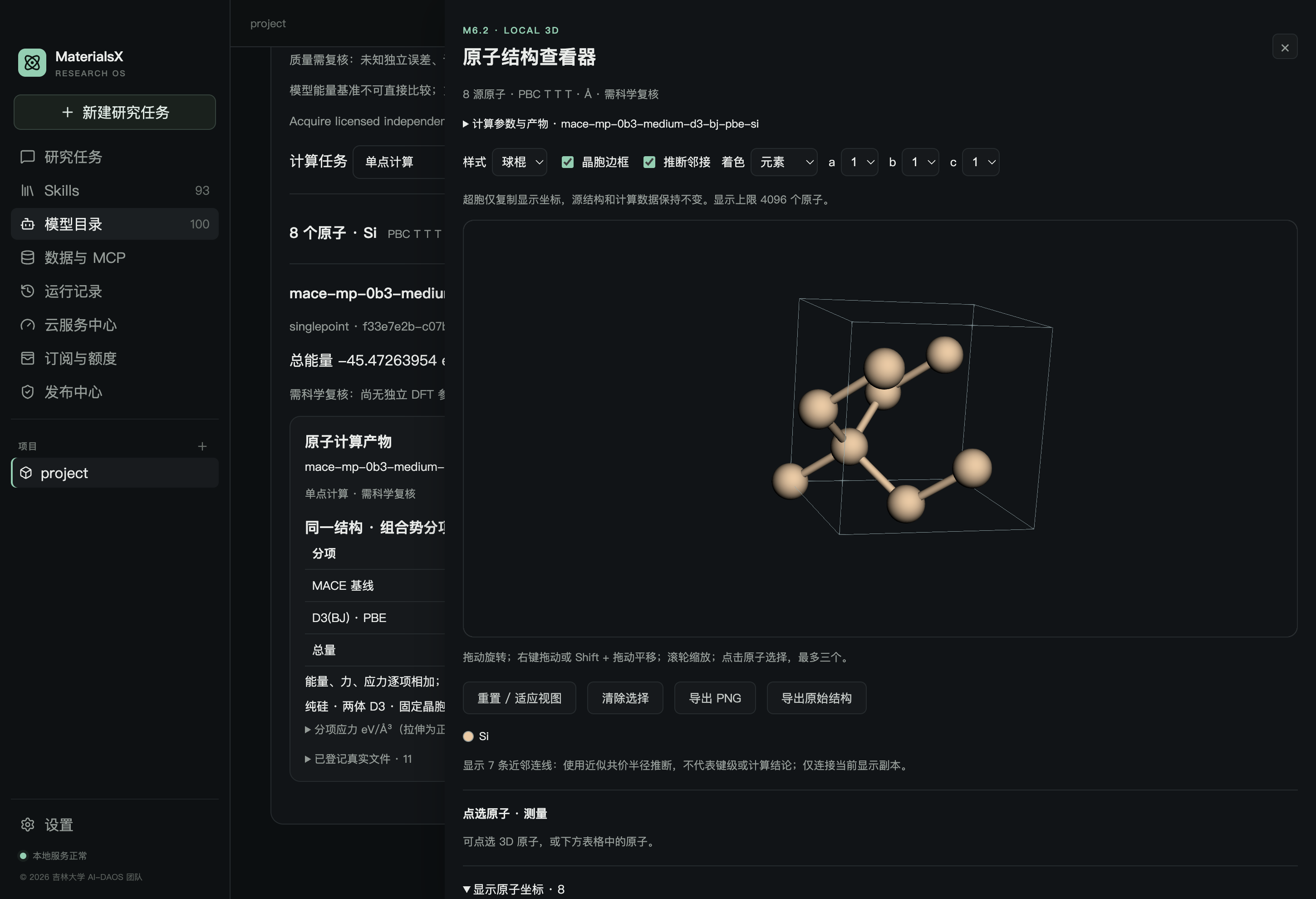
View structures and computation artifacts where a supported runtime is available. An image is not scientific validation.
DOWNLOAD STATUS
The 0.3.0 installers for macOS Apple Silicon and Windows x64 connect to the production platform and are available on GitHub Releases. Signing, notarization, and cross-device acceptance remain open.
0.3.0 · available
Check the installer architecture, SHA-256 and release notes before installing.
MaterialsX-0.3.0-mac-arm64.dmg1787.3 MB0.3.0 · available
Check the installer architecture, SHA-256 and release notes before installing.
MaterialsX-0.3.0-win-x64.exe740.6 MBNo public installer yet
Check the release page for the exact version and architecture.
Check the downloaded file against the SHA-256 list: View SHA256SUMS.txt
No chat-model weights are bundled. Load a local model in LM Studio or another compatible tool. Scientific outputs require human review.
GET STARTED
Create a research task so conversations, inputs, and artifacts stay in your workspace.
Load a model in LM Studio and start its local API, then check the connection in MaterialsX settings.
Choose a Skill or state a goal directly, such as extracting experimental values with page citations.
@materials-literature-rpsme-json Extract the experimental formulations from this paper with original amounts and evidence page numbers.
FAQ
The desktop app is free, and local models can run on your own computer. Eligible platform models use MX Points based on four token categories. Purchases are currently limited to the local test environment; the signed-in catalog shows actual eligibility and rates.
No. The 100 items are bilingual catalog entries for potentials, models, and related resources. Weights, dependencies, licenses, and execution eligibility must be checked individually.
Yes. MaterialsX supports the local LM Studio API. Tool calling and long-task reliability depend on the model, protocol, and runtime; run a compatibility check first.
No. The separate MOOS MCP service must be deployed and configured. Queries are read-only, and records awaiting review keep that status.
No. MaterialsX helps organize evidence, run eligible methods, and preserve receipts. Researchers must still verify experiments, model applicability, and final scientific claims.